If your Shark IX141 is:
- Not picking up pet hair
- Only running for 15–20 minutes
- Blowing debris across hard floors
- Wrapping hair around the brush roll
- Shutting off unexpectedly
- Difficult to store or balance
This guide walks you through exact diagnostic steps and proven fixes. If you follow this guide step by step, you can identify whether your issue is:
- Normal cordless limitations
- A maintenance problem
- A battery degradation issue
- Or a true mechanical defect
Quick Diagnostic Table
| Symptom | Most Likely Cause | First Fix to Try |
|---|---|---|
| Not picking up pet hair | Clogged filter or hair-wrapped brush | Clean filters + brush roll |
| Battery lasts 15–20 minutes | Normal runtime with floor head | Use standard mode + clean filters |
| Blowing debris on hard floors | Reduced suction or pushing too fast | Clean filter + slow down |
| Keeps shutting off | Overheating protection | Let cool + clear blockages |
| Won’t turn on | Battery not seated or degraded | Reseat or test battery |
Now let’s go deeper into each issue.
1. Shark IX141 Not Picking Up Pet Hair
Why This Happens
Pet hair pickup depends on three things:
- Strong airflow
- Clean filtration
- Brush roll agitation
If airflow drops even slightly, hair will stay embedded in carpet fibers or wrap around the brush instead of being pulled into the dust cup. Cordless stick vacuums are especially sensitive to airflow restriction.
If you need a detailed step-by-step breakdown specifically for pet hair issues, read our complete guide on why the Shark IX141 is not picking up pet hair and how to fix it.
Step 1: Clean the Filters (Most Common Fix)
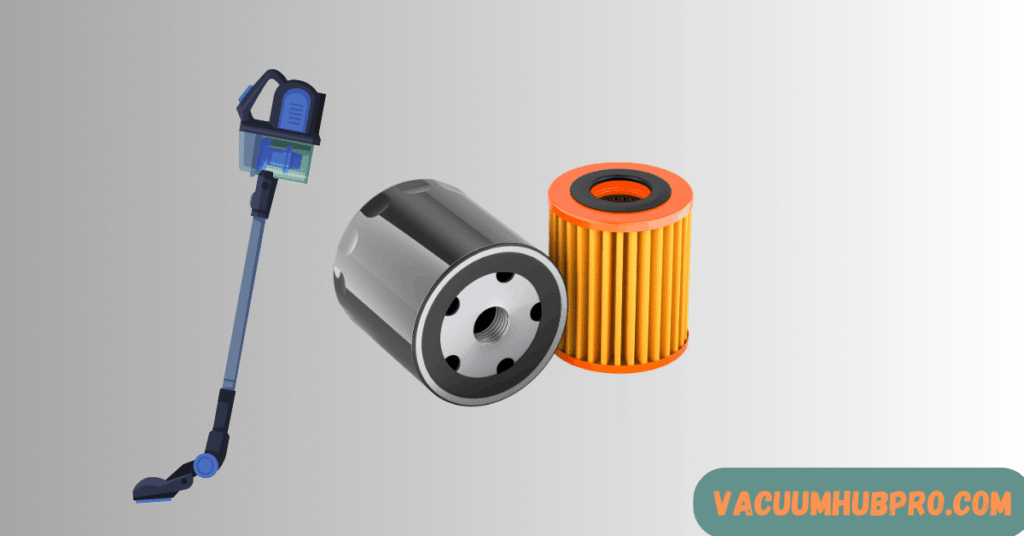
Clogged filters are the #1 cause of suction loss.
When filters fill with fine dust:
- Airflow decreases
- Motor works harder
- Hair stops lifting properly
How to Clean Shark IX141 Filters
- Remove the dust cup.
- Remove the foam and felt filters.
- Rinse with water only (no soap).
- Squeeze out excess water.
- Air dry for at least 24 hours.
- Reinstall completely dry.
In pet households, clean filters every 30 days.
Step 2: Remove Hair Wrapped Around Brush Roll
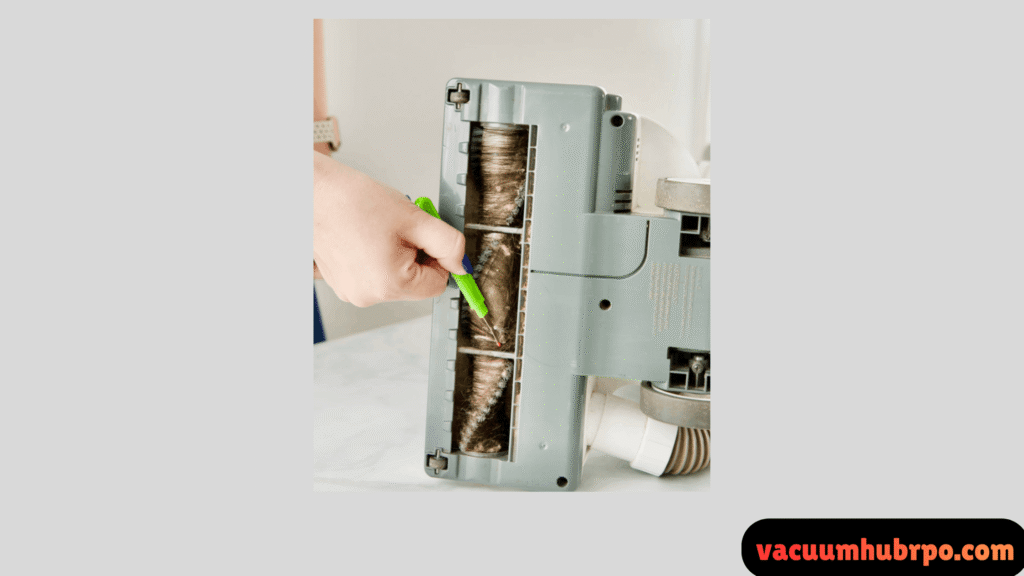
Hair wrapped tightly around the brush:
- Reduces brush rotation
- Decreases carpet agitation
- Causes poor fur pickup
Fix:
- Remove the floor head.
- Cut wrapped hair carefully.
- Remove debris from end caps.
- Ensure the roll spins freely before reinstalling.
If bristles are flattened or bent, replacement may be necessary.
Step 3: Check for Blockages
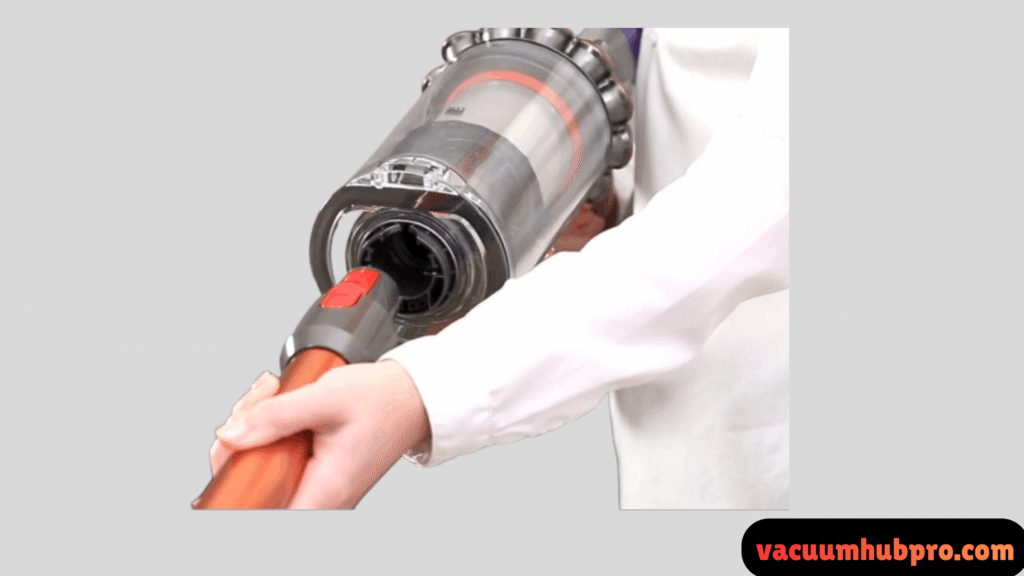
Inspect:
- Wand
- Floor head intake
- Dust cup air channel
Even a partial blockage can dramatically reduce suction.
2. Shark IX141 Battery Only Lasting 15–20 Minutes
Is This Normal?
Yes — in many cases.
The advertised “up to 40 minutes” runtime is measured:
- In handheld mode
- On standard power
- Without the motorized floor head
When the powered floor head is attached, runtime decreases significantly.
Typical Real-World Runtime
- Standard mode with floor head: 18–25 minutes
- Boost mode: 10–15 minutes
If you’re getting 15–20 minutes in normal cleaning mode, that falls within expected performance range.
How to Extend Battery Life?
1. Avoid Boost Mode
Boost dramatically increases motor draw and reduces runtime.
2. Clean Filters
Restricted airflow forces the motor to work harder, draining the battery faster.
3. Fully Charge Before Use
Partial charging results in shorter runtime.
4. Replace Aging Battery
Lithium-ion batteries degrade after 2–3 years.
If runtime drops under 10 minutes, replacement is likely needed.
For a full diagnostic breakdown of short runtime issues and how to test battery health, see our complete guide on Shark IX141 battery only lasting 15–20 minutes.
3. Shark IX141 Blowing Debris on Hard Floors
Why Debris Gets Pushed Forward
This usually happens when:
- Suction is reduced
- Debris is lightweight (pet fur)
- The vacuum is pushed too quickly
- Floor head seal is imperfect
When airflow cannot pull debris upward fast enough, it scatters.
Fix Steps
- Slow your forward movement.
- Slightly tilt the vacuum back.
- Clean filters before hard floor cleaning.
- Empty dust cup before it gets full.
- Ensure the dust cup clicks fully into place.
If debris still scatters after cleaning filters, inspect the floor head for air leaks or gasket damage.
4. Shark IX141 Keeps Shutting Off
If the vacuum turns off mid-use, overheating protection may be activated.
Common Causes
- Clogged filters
- Blocked airflow
- Dust cup overfilled
- Battery overheating
Fix
- Turn off the vacuum.
- Let it cool for 30–45 minutes.
- Clean filters thoroughly.
- Clear any blockages.
- Restart in standard mode.
If it continues shutting off after cleaning, the battery may be degrading.
5. Shark IX141 Won’t Turn On
Step 1: Check Battery Seating
Remove and reinsert battery firmly.
Step 2: Verify Full Charge
Ensure charging light indicates complete charge.
Step 3: Reset Overheat Protection
Let the vacuum cool fully before retrying.
Step 4: Test Charger Outlet
Try another outlet to rule out power source issues.
If the unit remains unresponsive, battery failure is the most likely cause.
6. Hair Wrapping Around Brush Roll Frequently
Long pet hair naturally wraps around rotating brushes.
This becomes excessive when:
- Suction is weak
- Hair volume is high
- Cleaning is infrequent
Preventive Maintenance
- Remove hair weekly.
- Clean filters monthly.
- Vacuum slowly on high-shed areas.
Routine maintenance prevents buildup from affecting performance.
7. Storage & Balance Issues
The Shark IX141 does not free-stand upright.
This is a design trade-off for lightweight construction.
Solutions
- Install the included wall mount.
- Use a third-party docking station.
- Install wall hooks for attachments.
- Store in a utility closet to prevent tipping.
When It’s a True Mechanical Defect
Contact manufacturer support if you experience:
- Runtime under 10 minutes after full charge
- Burning smell
- Loud motor screeching
- Brush roll not spinning at all
- Battery not charging
These indicate possible motor or battery failure.
Frequently asked Questions (FAQs)
Most commonly due to clogged filters, hair-wrapped brush roll, or airflow blockage.
Yes. With the motorized floor head attached, this runtime is typical.
Reduced suction or moving too quickly can cause debris scattering.
Every 30 days in pet households.
Yes. The battery is removable and replaceable when performance declines.
Final Thoughts
The Shark IX141 is a cordless stick vacuum, and like all cordless models, it has performance limits tied to battery size and airflow design.
In most cases, issues with suction, pet hair pickup, and runtime are resolved through:
- Proper filter maintenance
- Regular brush roll cleaning
- Realistic runtime expectations
- Battery replacement when aged